7 Essential UK Email Account Tips for 2026 Success
December 31, 2025
Did you know that over 333 billion emails are sent globally every day, with the UK leading in digital adoption? Your uk email account is now the backbone of both personal and business success in 2026.
Mastering your uk email account is essential for digital efficiency, robust security, and seamless communication. In a world where every message matters, optimising your setup can be the difference between staying ahead or falling behind.
This guide delivers practical, up-to-date strategies tailored for UK users. Discover seven essential tips covering security, inbox organisation, compliance with UK laws, and productivity enhancements.
Ready to future-proof your uk email account? Let’s unlock your full digital potential and transform your email habits for lasting success.
Understanding the 2026 UK Email Landscape
The digital world is evolving rapidly, and your uk email account is at the heart of it all. Whether for personal use or business, understanding the landscape in 2026 is crucial to staying ahead, secure, and productive.
Evolving Email Usage Trends in the UK
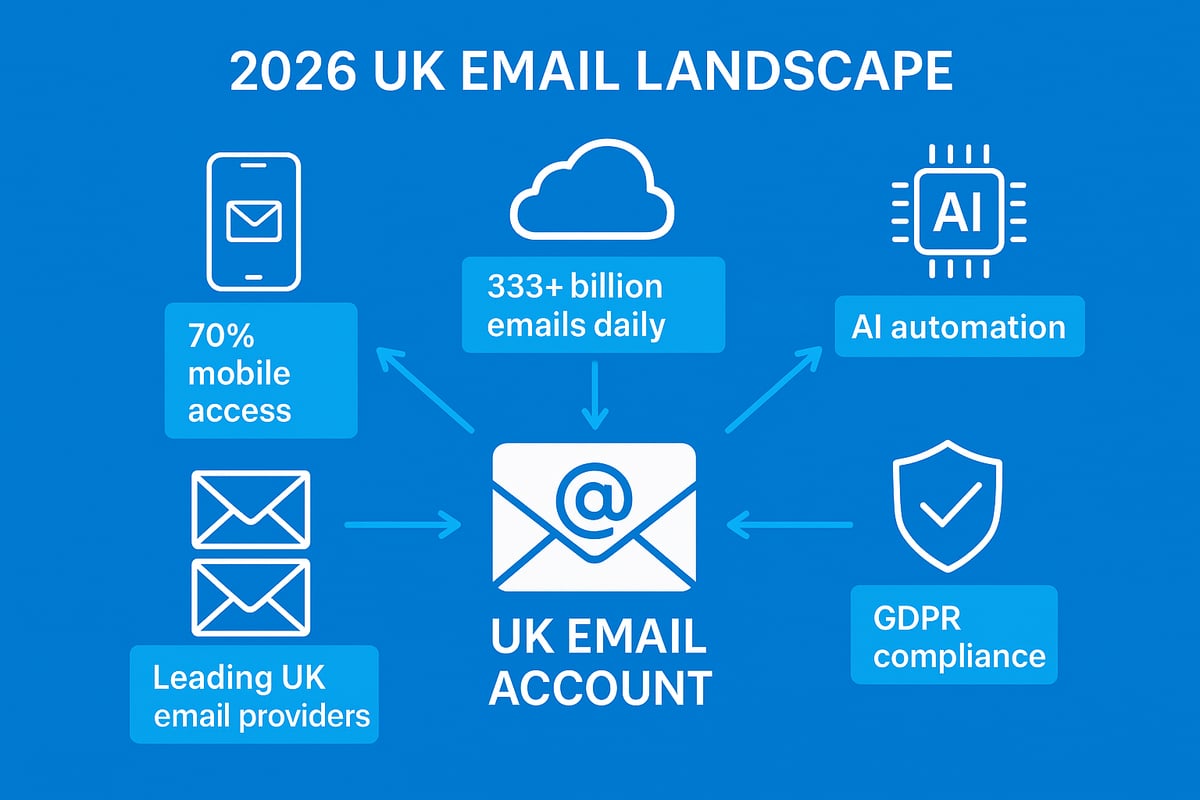
Email remains the backbone of digital communication, and the role of the uk email account has never been more significant. In 2025, over 333 billion emails were sent daily worldwide, with the UK contributing a substantial share. According to UK email usage statistics 2025, more than 70% of emails in the UK are read on mobile devices, reflecting the nation's shift towards a mobile-first approach.
Remote and hybrid work have further cemented the importance of the uk email account, with professionals relying on it as their primary communication hub. Many users are moving from traditional providers to privacy-focused services, seeking better control over their data. Popular platforms like Outlook, Gmail, and BT remain dominant, but new entrants are challenging the status quo by offering advanced features tailored for UK needs.
Your uk email account now serves as a gateway to digital identity, enabling access to online services, subscriptions, and essential business tools. As email volume continues to rise, effective management and security of your uk email account have become non-negotiable.
New Security and Compliance Regulations
In 2026, updates to UK GDPR and privacy laws are reshaping how every uk email account must be managed. Businesses and individuals alike face stricter requirements regarding data storage, encryption, and user consent. Email providers are mandated to store data within the UK and use robust encryption to protect sensitive information.
For business users, compliance means implementing consent management tools and ensuring every marketing email includes an easy unsubscribe option. Failing to comply can lead to heavy fines and reputational harm. For example, recent enforcement actions highlight the risks of overlooking unsubscribe compliance and secure storage practices.
Every uk email account owner should regularly review privacy settings, consent records, and unsubscribe mechanisms. Staying informed about updates to UK regulations is vital for safeguarding personal data and maintaining trust with clients or contacts.
The Rise of AI and Automation in Email
Artificial intelligence is transforming the uk email account experience for users across the UK. AI-powered spam filters and sorting tools now help prioritise important messages and keep unwanted emails at bay. Smart replies and predictive text features are becoming standard on leading UK platforms, speeding up daily communication.
Automation is also making inbox management more efficient. Users can automate sorting, schedule messages, and streamline follow-ups. For instance, a UK SME reported a 40% boost in productivity after integrating AI tools to handle repetitive email tasks. These advancements allow users to focus on higher-value work instead of managing clutter.
To maximise benefits, review your uk email account settings and explore available automation features. Embracing AI and automation ensures your email remains an asset, not a burden, in the fast-paced UK digital landscape.
7 Essential UK Email Account Tips for 2026 Success
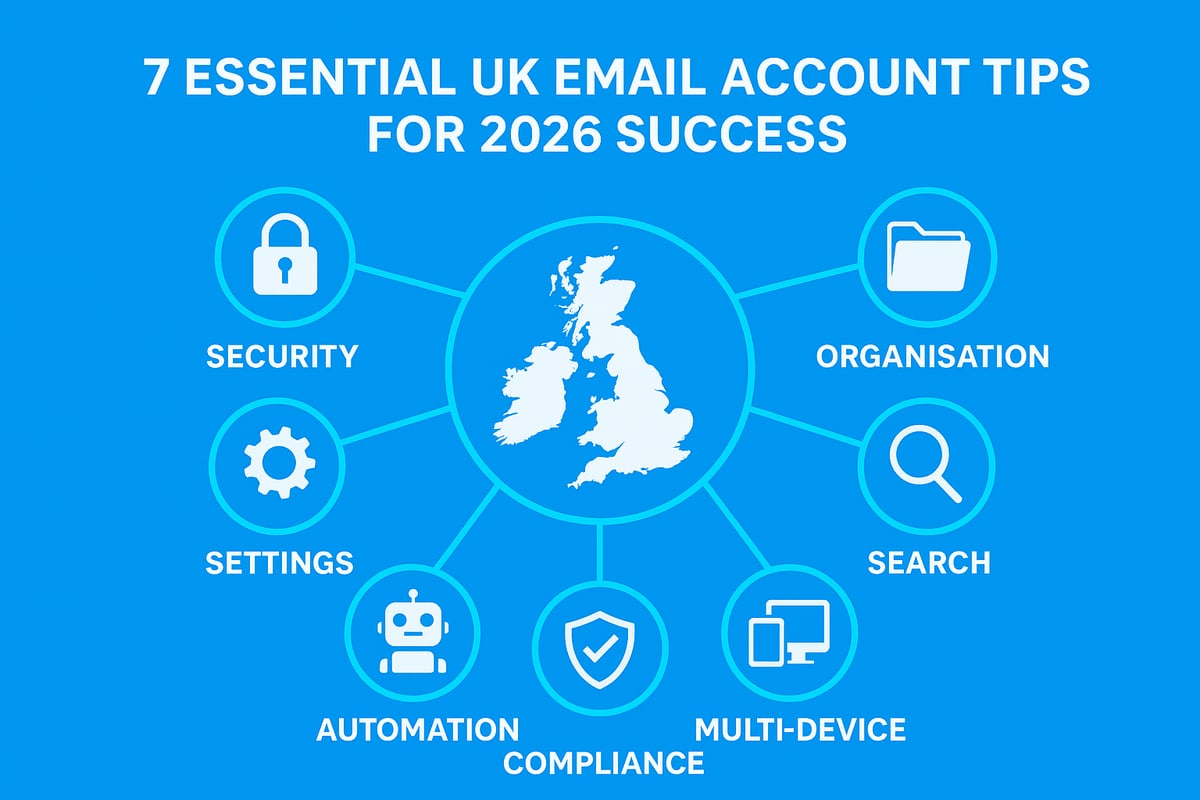
Ready to transform your uk email account into a tool for efficiency, security, and compliance in 2026? The following seven expert-backed tips will future-proof your digital communications, whether for personal or business use. Each strategy is tailored for UK users and addresses the challenges and opportunities of the evolving digital landscape.
1. Strengthen Your Email Security and Password Hygiene
Protecting your uk email account begins with robust security and vigilant password practices. In 2026, the stakes are higher than ever, and cyber threats continue to evolve.
Start by creating a strong, unique password for each uk email account you manage. Avoid reusing passwords across platforms, as attackers often exploit this common habit. Password managers provide an effective solution, generating and securely storing complex credentials for all your accounts.
Multi-factor authentication (MFA) is now a standard requirement for most UK email providers. By enabling MFA, you add a crucial extra layer of protection, making it far more difficult for unauthorised users to access your uk email account. Always keep your recovery options and security questions up to date to ensure you can regain access if needed.
Be alert for phishing emails and suspicious links. UK businesses and individuals have suffered significant data breaches due to deceptive messages that mimic legitimate requests. Regularly educate yourself and your team on how to spot these threats.
For more in-depth guidance on business email security, see Secure Email for Small Business.
To summarise:
- Use a password manager to store unique passwords for each uk email account.
- Enable MFA on every account.
- Update security questions and recovery options regularly.
- Train yourself and staff to detect phishing attempts.
Security is the foundation for a long-lasting, reliable uk email account. Prioritise these steps to prevent costly breaches and maintain trust.
2. Organise Your Inbox With Folders, Labels, and Rules
A cluttered inbox can cripple your productivity and increase stress. Effective organisation of your uk email account is vital for both personal and business success.
Start by separating your emails into folders or using labels for different categories: clients, invoices, personal, newsletters, and more. Most major UK email providers offer powerful rule-based sorting. Set up filters to automatically move incoming emails to the right folder, saving you time and mental bandwidth.
For example, a UK freelancer juggling multiple clients benefits from rules that route each client’s emails to dedicated folders. This system reduces the risk of missing important messages and streamlines project management.
According to the CIPD, 43 percent of UK professionals lose productivity due to inbox overload. Scheduling regular clean-ups—daily or weekly—helps maintain order and keeps your uk email account functioning smoothly.
Consider these organisation tips:
- Use folders and labels to separate business and personal email.
- Set up rules and filters for invoices, newsletters, and key contacts.
- Schedule routine inbox reviews and clean up old or irrelevant messages.
For those managing multiple accounts, learn how to Organise All Email in One Place for maximum efficiency.
A well-organised uk email account will help you stay on top of communications, reduce stress, and boost productivity.
3. Master Email Search and Archiving Techniques
Efficient search and archiving are critical for managing a uk email account, especially for compliance and quick information retrieval.
Most UK email services support advanced search operators, allowing you to pinpoint emails by sender, date, subject, or keywords. Mastering these operators will save you valuable time when searching for specific messages.
Understanding the difference between archiving and deleting is essential. Archiving removes emails from your inbox but keeps them accessible for future reference, which is vital for legal and business compliance. Deleting, on the other hand, is permanent.
UK businesses are often required to retain emails for at least six years to comply with HMRC and other regulations. SMEs can develop a custom archiving strategy that tags emails by project or fiscal year, ensuring easy retrieval during audits.
Example advanced search (for Gmail):
from:client@example.co.uk subject:invoice after:2025/12/31 before:2026/06/01
Tips for success:
- Use search operators to find emails quickly in your uk email account.
- Archive important messages for compliance, delete what you no longer need.
- Create a structured archive system with folders or tags.
- Regularly test your ability to retrieve old emails.
Efficient search and archiving keep your uk email account compliant and save you time in the long run.
4. Optimise Email for Mobile and Multi-Device Access
Modern workflows demand that your uk email account works seamlessly across smartphones, tablets, and desktops. With 72 percent of UK users checking email on multiple devices daily, multi-device access is now essential.
Begin by syncing your uk email account across all your devices. Major providers like Outlook, Gmail, and BT Mail offer easy-to-configure sync settings. Decide whether to use dedicated apps or webmail interfaces; apps often provide a smoother experience, while webmail allows access from any browser.
For business communications, ensure that outgoing emails use responsive design, so they display correctly on any device. This is particularly important for marketing campaigns and client correspondence.
A UK business owner, for example, can manage their uk email account on the go, responding to clients and scheduling meetings without being tied to a desk.
Consider this comparison:
| Access Method | Pros | Cons |
|---|---|---|
| Dedicated App | Fast, offline access | Requires installation |
| Webmail | Universal access | May lack advanced features |
To optimise your uk email account for mobile:
- Enable sync across all devices.
- Choose the best app or webmail for your needs.
- Use responsive email templates for business.
- Regularly test your setup to ensure seamless access.
Multi-device optimisation makes your uk email account flexible and ready for the fast-paced, mobile-first world.
5. Stay Compliant With UK Data Protection and Privacy Laws
Compliance is non-negotiable for any uk email account, especially in 2026 with updates to the UK GDPR and privacy laws. Non-compliance risks heavy fines and reputational damage.
Key requirements include obtaining explicit consent for marketing emails, providing clear unsubscribe options, and securing the storage and transmission of personal data. Automated tools can help manage unsubscribes and consent records efficiently.
Recent ICO reports show that fines for email data breaches exceeded £10 million in 2025. To stay compliant, review your uk email account’s settings and ensure all marketing lists are up to date.
Practical steps:
- Collect and record consent for all email marketing.
- Use secure, encrypted email providers that store data within the UK.
- Offer easy-to-use unsubscribe links in every campaign.
- Regularly audit your email lists and remove inactive or unconsented contacts.
For detailed guidance on data retention and compliance, see Data Retention and Email Compliance.
By prioritising compliance, you protect your uk email account, your finances, and your reputation in the digital marketplace.
6. Leverage Automation and AI Tools for Productivity
Automation and artificial intelligence are transforming how we manage a uk email account. In 2026, leading UK email platforms offer advanced tools that help you work smarter.
AI-powered features like smart sorting, spam filtering, and predictive text can dramatically reduce manual effort. Automation tools can schedule emails, send follow-up reminders, and sort incoming messages based on custom rules.
For example, a small business in the UK used AI automation to cut email management time by 40 percent, freeing up staff for higher-value activities. Integration with calendars and to-do apps further streamlines daily workflows.
To make the most of AI and automation:
- Enable smart replies and predictive suggestions for quick responses.
- Set up automated rules for sorting, scheduling, and follow-ups.
- Integrate your uk email account with productivity tools like calendars and task managers.
- Regularly review automation settings to ensure they match your current needs.
With 55 percent of UK businesses planning to increase email automation in 2026, now is the time to embrace these tools. Automation not only improves productivity but also keeps your uk email account running efficiently.
7. Regularly Review and Update Your Email Settings
Ongoing maintenance is crucial for a secure and efficient uk email account. Outdated settings are a leading cause of data breaches, with the UK Cyber Security Centre attributing 30 percent of incidents to this issue.
Periodically review your account’s security and privacy settings. Update forwarding addresses, signatures, and notification preferences as your needs change. Check which third-party apps have access to your uk email account and revoke permissions for any that are no longer required.
Customising spam filters and whitelists also helps ensure important messages reach your inbox while blocking unwanted mail.
A real-world example: A UK user prevented a potential data leak by disabling old integrations that still had access to sensitive information.
Checklist for regular maintenance:
- Audit security and privacy settings every quarter.
- Update forwarding, signature, and notification preferences.
- Remove unused third-party app permissions.
- Adjust spam filters and whitelists as needed.
By making regular reviews a habit, you safeguard your uk email account against emerging threats and ensure it continues to meet your evolving needs.
Integrating Email With Broader Digital Life
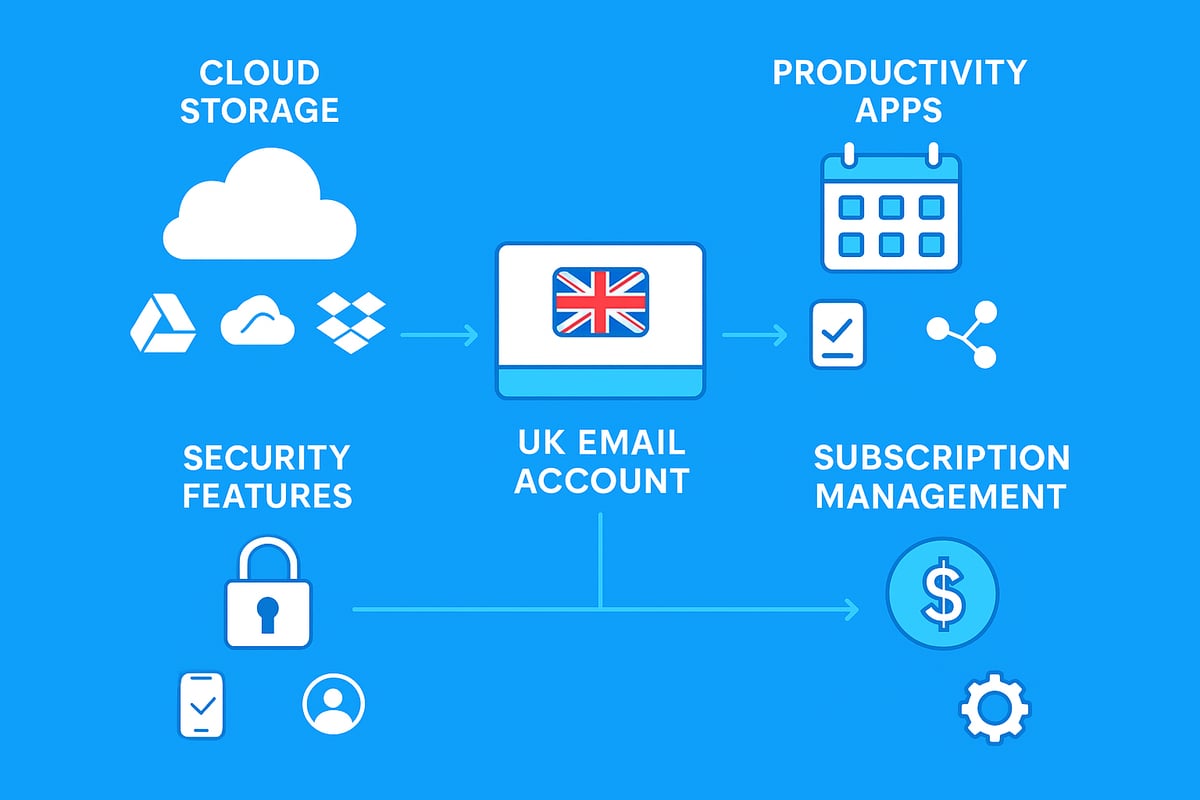
As our digital lives expand, your uk email account becomes the nerve centre for communication, productivity, and security. Integrating your email with cloud storage, productivity tools, and digital identity services streamlines your workflow and protects your online presence. Let us explore the essential ways to connect your uk email account with the wider digital ecosystem.
Connecting Email to Cloud Storage and Productivity Apps
Integrating your uk email account with cloud storage platforms is a game changer for efficiency. By linking your email to services like Google Drive, OneDrive, or Dropbox, you can send, receive, and manage attachments without leaving your inbox. This reduces time spent searching for files and ensures important documents are always accessible.
- Automate file saving from email attachments to cloud folders.
- Share large files directly from your uk email account using cloud links.
- Sync calendars and task lists for unified productivity.
For example, a UK project team can streamline collaboration by connecting their uk email account to a shared cloud workspace. This enables real time editing, reduces version confusion, and keeps everyone on track.
If you are looking for practical steps to set up or improve your uk email account, you might find this guide on How to Get a Free Email Account especially helpful.
Email as a Hub for Digital Identity and Online Services
Your uk email account is the gateway to countless online services. It acts as the primary point for account recovery, password resets, and multi factor authentication. While this central role is convenient, relying on a single uk email account for everything can increase risk.
To safeguard your digital identity, consider segmenting your accounts:
- Use one uk email account for personal communication.
- Create a separate uk email account for business or financial matters.
- Reserve another for online shopping and newsletters.
A UK entrepreneur managing multiple ventures can reduce security risks by assigning a unique uk email account to each business. This not only improves organisation but also minimises the fallout if one account is compromised.
Managing Email Subscriptions and Unwanted Mail
An overloaded inbox can quickly undermine the effectiveness of your uk email account. The average UK user receives over 120 promotional emails each week, which can drown out important messages and slow down productivity.
To take control:
| Tool/Method | Benefit | Example Use Case |
|---|---|---|
| Built in unsubscribe links | Quick removal | Stop unwanted newsletters |
| Third party apps | Bulk subscription management | Clean up inbox in minutes |
| Filters and rules | Auto sort and archive | Keep inbox focused |
Regularly review your uk email account subscriptions and use tools to automate the process. Unsubscribing from unwanted lists and filtering messages ensures your uk email account stays clean, secure, and ready for what matters most.
Future-Proofing Your Email Account for 2026 and Beyond
As 2026 approaches, ensuring your uk email account remains secure, compliant, and sustainable is more crucial than ever. With rapid changes in technology, regulations, and environmental awareness, future-proofing your uk email account will help you stay ahead and avoid unnecessary risks.
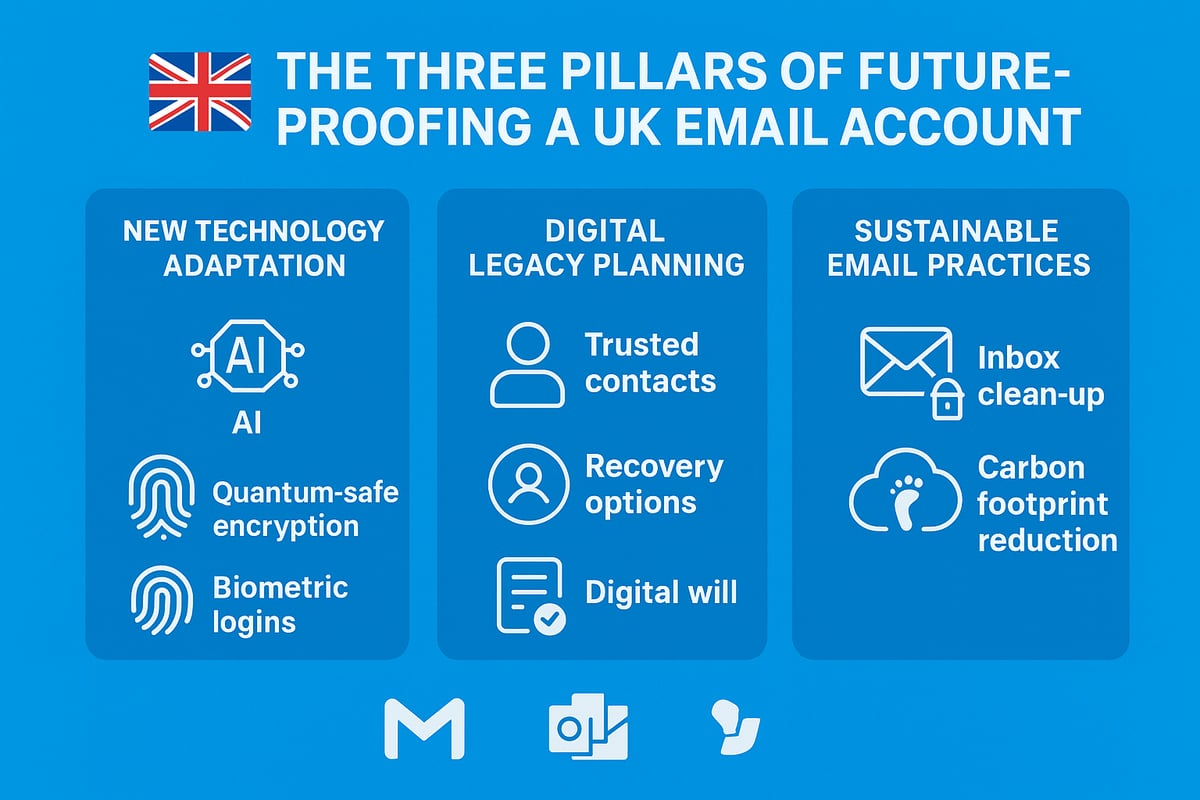
Adapting to New Email Technologies and Threats
The email landscape is evolving rapidly, and your uk email account must keep pace. Quantum-safe encryption is emerging as a response to the potential risks posed by quantum computing, which could eventually break traditional encryption methods. Many UK providers are investing in these technologies to stay ahead of cyber threats.
AI-driven features, such as real-time threat detection and advanced spam filtering, are now standard in leading platforms. Providers are also rolling out biometric authentication and enhanced secure login methods, making unauthorised access far more difficult. For businesses, staying compliant with the latest UK GDPR email compliance 2026 regulations is essential, especially as new requirements for email security and encryption come into force.
To future-proof your uk email account, regularly check for new security features and enable them as soon as they are available. Early adoption of these tools will protect your data and reputation.
Planning for Account Recovery and Digital Legacy
Planning for the unexpected is a vital part of managing your uk email account. Losing access to your email can disrupt personal, financial, and business activities. Ensure you have up-to-date recovery options, such as trusted contacts and secure backup emails.
Consider your digital legacy. In the event of bereavement, families and business partners may need access to important emails or documents. Many UK providers allow you to specify legacy contacts or include your uk email account in your digital will. This proactive approach avoids complications during difficult times.
Regularly review your recovery settings and inform trusted individuals of your preferences. This ensures your uk email account remains accessible and your digital assets are managed according to your wishes.
Sustainable Email Practices for the Environment
The environmental impact of digital services is often overlooked. Each uk email account contributes to the overall carbon footprint of UK data centres, which are responsible for significant emissions. By reducing digital clutter, you can help lower this footprint and improve your email experience.
Adopt sustainable habits such as deleting unnecessary emails and large attachments, unsubscribing from unwanted newsletters, and archiving only essential correspondence. The average UK user receives over 120 promotional emails per week, so regular inbox clean-ups can make a noticeable difference.
By streamlining your uk email account, you not only support environmental sustainability but also enjoy a faster, more efficient service. Small actions can lead to a meaningful reduction in energy use and emissions.
Resources and Tools for UK Email Users
Equipping your uk email account with the right resources is essential for staying secure, productive, and compliant in 2026. The tools and support networks you choose can make all the difference between a well-managed inbox and a vulnerable target.
Recommended Security and Productivity Tools
Safeguarding your uk email account starts with robust security measures. A password manager such as 1Password or Bitwarden ensures unique, complex passwords for every account. Anti-phishing browser extensions like Netcraft or Mailwasher add another layer of protection by flagging suspicious links and attachments.
For backup, consider encrypted cloud services that support UK data compliance, helping you restore vital messages if disaster strikes. Pair these with secure email clients that offer advanced features for both desktop and mobile.
Top UK Email Client Comparison (2026)
| Email Client | Platform | Key Features |
|---|---|---|
| Outlook | Desktop/Mobile | Built-in encryption, rules, integration |
| Gmail | Web/Mobile | AI-powered sorting, labels |
| Proton Mail | Web/Mobile | End-to-end encryption, privacy focus |
| BT Mail | Web/Desktop | UK-based support, family accounts |
If you send business emails, understanding Email deliverability in the UK is crucial for ensuring your messages reach inboxes and are not flagged as spam. Deliverability tools help monitor your sender reputation and compliance with UK standards.
Where to Get Help and Stay Informed
Even the most experienced uk email account users encounter challenges. The National Cyber Security Centre (NCSC) provides up-to-date guidance on protecting your email, while the Information Commissioner's Office (ICO) offers resources on compliance and data privacy.
For technical support, turn to official help desks from your provider, or consult community forums dedicated to Outlook, Gmail, and BT Mail. These platforms allow you to troubleshoot issues, discuss best practices, and stay ahead of emerging threats.
Stay informed by subscribing to reputable tech blogs and newsletters that focus on uk email account trends, security updates, and productivity hacks. This proactive approach ensures you never miss critical developments.
Glossary of Key Terms and Jargon
Navigating your uk email account efficiently means understanding the terminology. Here is a quick reference:
| Term | Definition |
|---|---|
| MFA | Multi-factor authentication, adds a security step |
| Spam Filter | Tool to detect and separate unwanted emails |
| Encryption | Scrambles data to protect message contents |
| Phishing | Fraudulent emails aiming to steal information |
| Compliance | Meeting legal and regulatory requirements |
Mastering your uk email account requires ongoing learning and the right set of tools. By leveraging these resources, you set yourself up for email success in 2026 and beyond.